





A dedicated detector inalámbrico de señales finds any actively transmitting device — hidden Wi-Fi cameras, analog video bugs, Bluetooth beacons, even cellular GPS trackers — because it “hears” raw radio energy. A smartphone app only sees cameras that connect to the Wi-Fi network your phone is on (or, at best, nearby Bluetooth). So: an app is a free, useful first pass for your own home network; an RF/wireless signal detector is what you actually want for hotels, rentals, and vehicles, where the camera is on a network you don’t control. Verdict up front: use the app first if it’s free, but don’t trust it as your only line of defense — buy a real RF detector for any environment you don’t own.
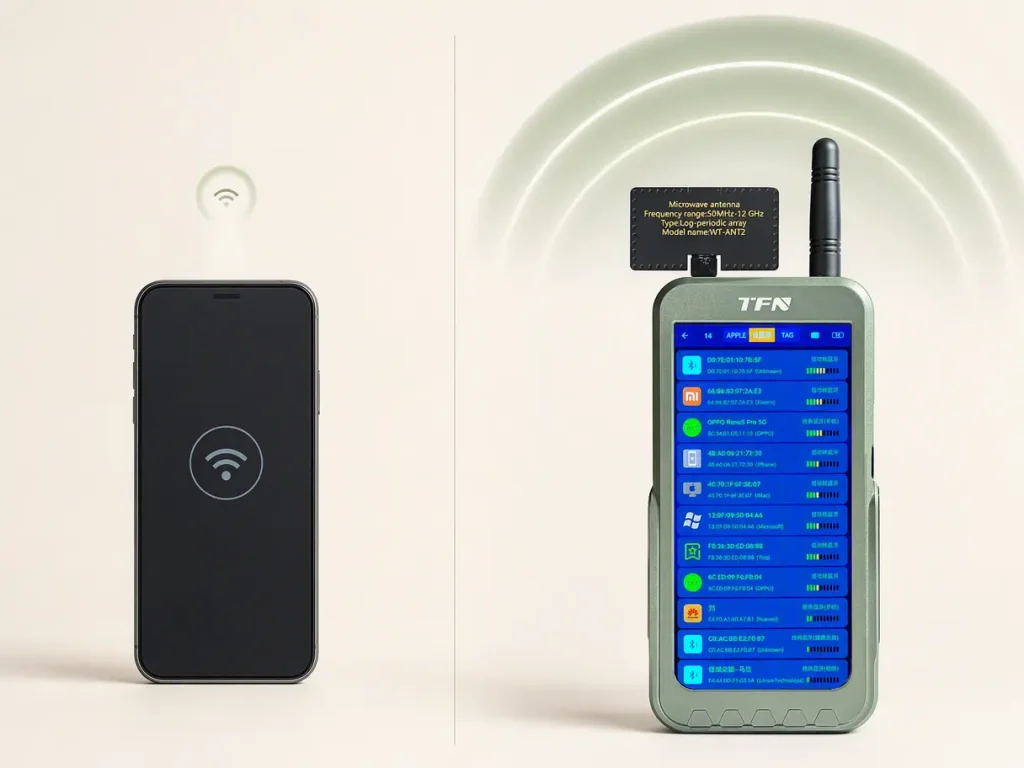
Head-to-Head Comparison
| Capability | RF Signal Detector | Smartphone App |
|---|---|---|
| Detects Wi-Fi IP cameras | ✅ Yes (by RF emission) | ✅ Yes (if on your network) |
| Detects analog/standalone video bugs | ✅ Sí | ❌ No |
| Detects Bluetooth bugs/beacons | ✅ Sí | ⚠️ Limited (BLE scan only) |
| Detects cellular GPS trackers | ✅ Sí | ❌ No |
| Finds cameras NOT on your Wi-Fi | ✅ Sí | ❌ No |
| Needs network access | ❌ No (works offline) | ✅ Yes (for network scan) |
| Identifies what the device is | ❌ No (strength only) | ⚠️ Partially (device names/MAC) |
| False-positive rate | Medium–high (any RF source) | Low–medium (network only) |
| Built-in lens finder | ✅ Often | ⚠️ App-dependent |
| Cost | $20–$500 | Free–$30/mo |
What an RF Signal Detector Does Well
An RF signal detector is a broadband radio receiver — it measures the strength of radio-frequency (RF) energy across a wide range (typically 1 MHz–8 GHz), which covers Wi-Fi (2.4/5 GHz), Bluetooth (2.4 GHz), analog video transmitters (1.2 GHz), and cellular bands used by GPS trackers (What is RF — Rohde & Schwarz; Radio frequency — Wikipedia).
Pros
- Detecta any active transmitter, regardless of network — this is the single biggest advantage over apps.
- Works offline: no Wi-Fi or app permissions required.
- Many units include a red/IR lens finder that spots camera lenses even when the camera is off.
- Adjustable sensitivity lets you walk toward a signal and pinpoint its source.
Cons
- Triggers on all RF — your router, Bluetooth headphones, even microwave leakage — so it demands a careful, low-sensitivity sweep (Do hidden camera detectors work? — QZT Security).
- It reports strength, not identity — a beep tells you “RF is here,” not “this is a camera.”
- Cannot find powered-off devices (no transmission to detect).
What a Smartphone App Does Well
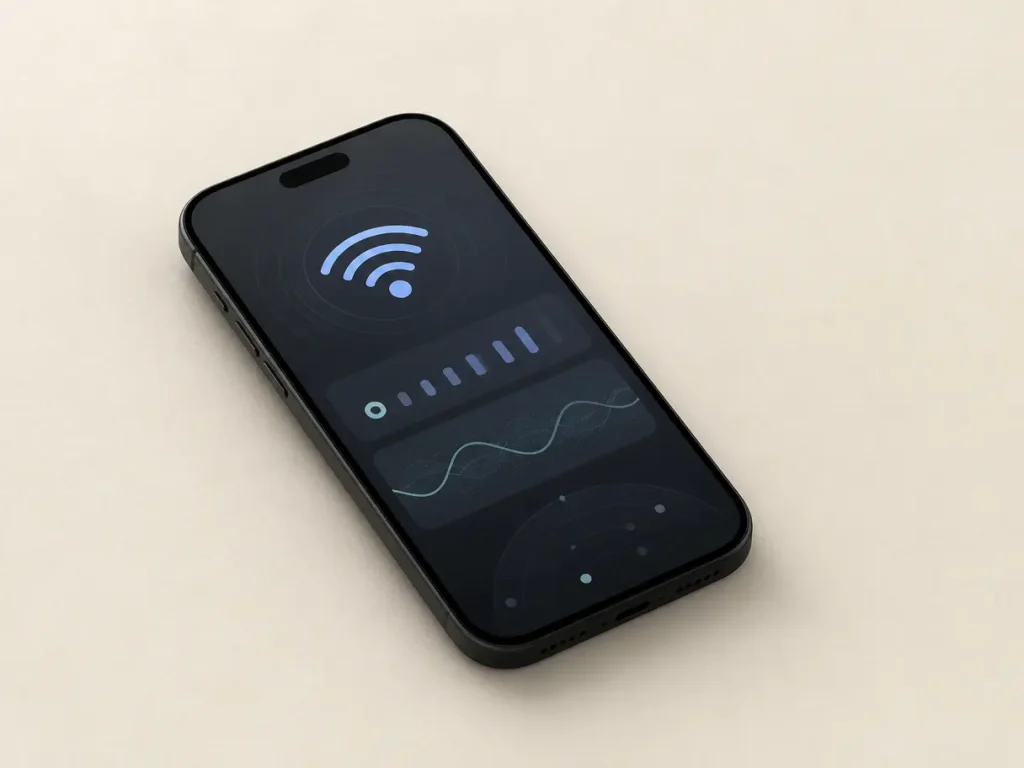
Smartphone “hidden camera detector” apps fall into a few categories, and only some are actually useful:
- Wi-Fi network scanners (e.g., Fing and similar): enumerate every device on the Wi-Fi network your phone is joined to and flag devices identified as cameras by vendor/MAC prefix. These are the most genuinely useful apps.
- Bluetooth/BLE scanners: list nearby Bluetooth devices — useful for finding AirTags or BLE beacons, weak for cameras.
- Magnetometer apps: read your phone’s compass sensor to detect the magnetic field of a camera’s electronics — highly unreliable, since speakers and phone internals also create fields.
- “Lens reflection” apps: claim to detect glints using the camera/flash — inconsistent in practice.
Pros
- Free or nearly free; nothing to carry beyond the phone you already have.
- Can identify devices by name and MAC address on your own network — something an RF detector cannot.
- Good enough to spot a camera that a host left connected to the same Wi-Fi.
Cons
- Blind to any camera not on your network — the exact scenario in a hotel or Airbnb.
- Cannot detect standalone analog bugs, non-Wi-Fi transmitters, or cellular trackers.
- Phone radios are not designed as broadband RF detectors, so even network scanning has range and sensitivity limits.
Pricing at a Glance
| Tier | RF Detector | Smartphone App |
|---|---|---|
| Free | — | Fing (free tier), basic scanners |
| Budget | $20–$60 (basic LED units) | Free–$5 |
| Mid-range | $60–$150 (10-LED/dBm, adjustable sensitivity) | $10–$30/mo pro |
| Pro | $150–$500+ (digital meter, band filtering) | — |
The honest advice: skip sub-$20 “blinking LED” detectors. A mid-range unit with a graduated meter, adjustable sensitivity, and a lens finder is the real value point for serious sweeps (Best hidden camera detector 2026 — Digital Camera World).
Which Should You Use, and When?
| Scenario | Recommended tool |
|---|---|
| Checking your own home Wi-Fi for stray cameras | Smartphone app (free, fast) |
| Hotel / Airbnb / rental where you don’t control the network | RF signal detector |
| Sweeping a vehicle for a GPS tracker | RF signal detector |
| Finding a powered-off camera | RF detector with lens finder (or NLJD pro gear) |
| Confirming what a device is on your network | Smartphone app (device ID) |
| Budget-constrained first pass | Free app, then upgrade if you find anything |
A smart routine combines both: run a free Wi-Fi scan to identify anything on your home network, and keep an RF detector for environments you don’t control. They answer different questions — the app asks “what’s on my network?”, the detector asks “what’s transmitting near me?”
PREGUNTAS FRECUENTES
Partially. It reliably finds cameras connected to the same Wi-Fi network as your phone. It cannot find cameras on another network, analog bugs, or cellular trackers.
Yes, for any space you don’t own. The app’s blind spot — devices not on your network — is exactly where a wireless signal detector earns its keep.
Standalone analog video bugs, non-Wi-Fi transmitters, Bluetooth bugs, and cellular GPS trackers — any device that emits RF without joining your Wi-Fi.
Free network scanners (like Fing) are legitimate and useful. Magnetometer and “lens reflection” apps are unreliable — treat them as novelties, not tools.
Mostly no. An RF detector needs an active transmission; a powered-off camera emits nothing. Only a lens finder or professional nonlinear-junction detector can spot it.
Start with a free Wi-Fi scanner app for your home. For travel or rental scenarios, step up to a mid-range RF detector ($60–$150) with adjustable sensitivity and a lens finder — skip the $20 blinking-LED units.
Bottom Line
For your own home network, a free smartphone app is a legitimate starting point — it’s fast, free, and can even name the devices it finds. But the app’s core limitation is fatal for the situations that matter most: it cannot see a camera that isn’t on your Wi-Fi. A dedicated RF signal detector (a.k.a. wireless signal detector) works everywhere, offline, and across the full radio spectrum — at the cost of false positives and a real learning curve. The best setup is both: the app for identification at home, the detector for detection everywhere else.
Sources: What is RF — Rohde & Schwarz · Radio frequency — Wikipedia · RF Safety FAQ — FCC · Best hidden camera detector 2026 — Digital Camera World · Do hidden camera detectors work? — QZT Security